Returning to Valheim 1.0: Check Saves, Mods and Achievement Expectations
An old character and world can carry valuable progress, but a major version changes the questions to ask. Preserve the save, read current compatibility notes and decide deliberately how to resume.
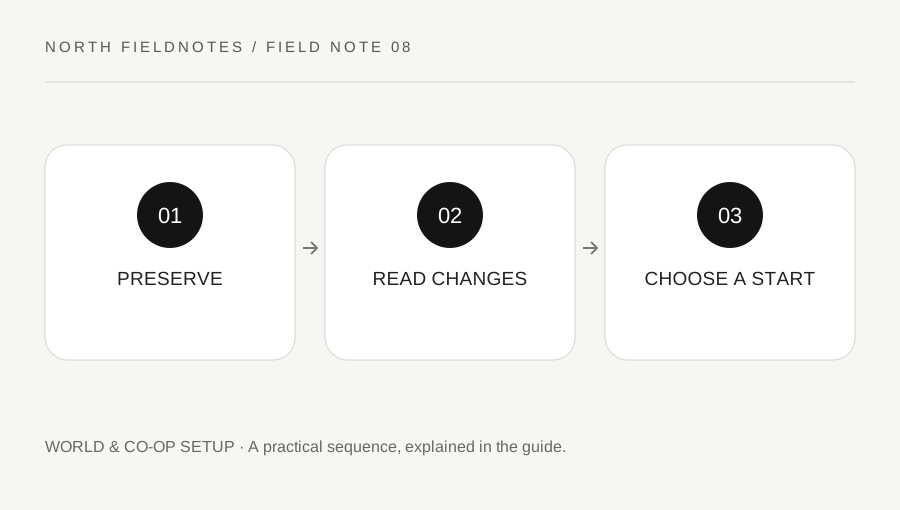
Original explanatory diagram. Examples illustrate a method or decision; they are not claims of personal testing.
Protect the world before experimenting
Identify the world and character you intend to use and keep an appropriate backup before significant changes. A familiar name in a menu does not replace knowing which save and host the group actually uses. Coordinate with the owner if the world is shared.
Iron Gate's 1.0 FAQ explains that existing saves remain usable, while newly generated biome content has conditions related to previously explored areas. Read the current official explanation rather than assuming every old location transforms into the new content.
Decide whether to continue or begin a new world based on the group's goals. The developer recommends a fresh start for the full experience, but that recommendation is not a command to delete an existing world. Keep the original state safe while comparing the options.
Separate official content from mod compatibility
List the mods or other unofficial changes used in the old setup. Iron Gate's position is that mods are unofficial and their compatibility with new versions is not guaranteed. A major update can therefore require more than simply pressing Continue.
Read the relevant mod authors' current compatibility information and use a careful backup-based plan if you choose to continue with them. Do not assume that an old mod list is supported because the base game launches. Likewise, do not blame a default-game mechanic for behavior introduced by a mod.
For a worked example, a returning group keeps its original backup, tests a supported baseline and documents which unofficial components remain unresolved. They do not overwrite the only world copy while trying several versions of a large mod pack without a record.
Read achievement conditions before making assumptions
The official 1.0 FAQ explains that achievement tracking begins with the new system and that earlier completion does not automatically satisfy every tracked action. It also describes eligibility effects associated with cheated states and some modifiers.
This guide does not provide a method to bypass those conditions or remove flags. Read the current official explanation and patch notes if a legitimate item or state appears incorrectly marked. The October 2026 update notes include fixes in this area, so version context matters.
Keep achievement goals separate from the group's preferred play style. If a world intentionally uses a setting that changes eligibility, describe the consequence openly. Do not promise that a temporary change will restore every achievement condition without support from the current official rules.
Resume with one clear objective
Choose a small first task: inspect the base, verify a transport route, repair the intended kit or scout an appropriate area. A returning session that tries to recover every forgotten system at once can become confusing even when the save itself is fine.
Read current recipes, messages and patch notes when memory conflicts with the game. Keep a note of genuine changes rather than treating every unfamiliar detail as a bug. If a reproducible issue remains, report it through official support with version and mod context.
Finish by documenting the chosen world, configuration and first goal. A thoughtful return preserves the group's earlier work while making room for a changed game. The useful result is a known save, understood compatibility and realistic expectations, not a rushed attempt to recreate an old session exactly from memory.
A practical checklist
Choices are saved in this browser. Reset them here or clear this site’s browser storage.
Questions that come up
Must I delete an old world to try 1.0?
No. Preserve it. The developer discusses continuing saves and recommends a fresh start for the full experience, but that is different from deleting your only copy.
Do old actions automatically unlock every achievement?
No. Read the official tracking and eligibility explanation for the new system.
Are old mods guaranteed compatible?
No. Iron Gate does not provide official mod compatibility support. Treat the configuration as a separate compatibility task.
References & scope
Background references checked on 18 October 2026. Worked examples and diagrams are original teaching material.