Valheim Hosting Handoffs: Protect the World Before Moving It
A world move is an administrative task, not a simple rename. Identify the active save and owner, make a recoverable copy and use the current official server instructions before changing where the group plays.
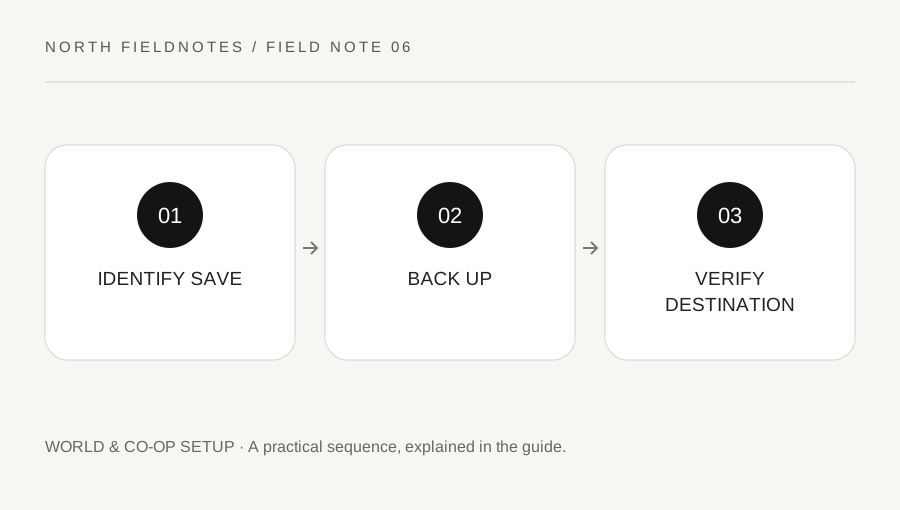
Original explanatory diagram. Examples illustrate a method or decision; they are not claims of personal testing.
Identify which world is actually active
Write the world name, current host, platform and the way the group joins. A local session and a persistent dedicated server can have different ownership and storage arrangements. Two worlds with similar display names are not necessarily the same save.
Iron Gate's FAQ distinguishes ordinary hosted sessions from dedicated servers and notes that the developer does not have access to players' saved worlds. Do not expect official support to retrieve an unbacked-up private world from a service it never hosted.
Read the current dedicated-server guide and the manual supplied with the server application for the actual platform. This article does not publish a universal filesystem path or a copy-and-paste command, because storage mode, platform and host configuration can differ. Identify the real source before touching files.
Create a backup that can be recognized later
Use the supported save and shutdown process so the world is not being changed while you take the intended consistent copy. Preserve the required related files as described by the official instructions. Label the backup with a date and the source world so it is not confused with the destination test.
Keep the original untouched while verifying the move. A backup stored only inside a folder about to be replaced is not a useful independent recovery point. Check that the copy exists and is readable through an appropriate non-destructive check.
For a worked example, a group is moving from one person's hosted session to a dedicated service. They identify the active save, make a dated copy and document the current world state before importing. They do not delete the old copy simply because the new server process starts.
Verify the destination through the game
Follow the current official configuration instructions and keep credentials private. Confirm that the destination uses the intended world rather than generating a new one with a similar name. Starting a server successfully does not by itself prove that the right save loaded.
Have a trusted player inspect a recognizable base or world landmark and confirm the expected progression. Keep the test low-stakes until the group agrees that the state is correct. Version and mod differences should be resolved before everyone resumes a long session.
If the destination is wrong, stop and inspect the configuration rather than copying files repeatedly in random directions. Preserve both the original backup and the test state. A clear record of which save was imported makes a support question much easier to answer.
Complete the handoff explicitly
Tell the group the new join route, who administers it and where future backups are handled. Share access details only with intended players and keep server credentials out of public screenshots. A persistent server still needs an owner for updates and recovery.
Retain the original backup until the destination has been verified under normal use and you have a deliberate retention plan. This page does not tell you to delete any particular file. Destructive cleanup should never be part of an unverified first test.
Finish with the source, backup date, destination and verification result. That administrative record protects the group's accumulated work. A successful hosting move is not merely a running process; it is the correct world, a known recovery path and a shared understanding of who maintains the environment after the handoff.
A practical checklist
Choices are saved in this browser. Reset them here or clear this site’s browser storage.
Questions that come up
Does a running server prove the intended world loaded?
No. Inspect a known landmark and progression state in game. The process could have created or loaded another world.
Can Iron Gate recover every private save?
No guarantee is possible. The developer does not have access to privately hosted world data.
Should I delete the original immediately?
Keep it intact while verifying the destination and establish a deliberate backup-retention plan afterward.
References & scope
Background references checked on 18 October 2026. Worked examples and diagrams are original teaching material.