Valheim World Settings: Agree on the Rules Before Changing the World
A shared world needs a shared understanding of its settings. Name the problem you want to change, read the current option descriptions and preserve a baseline before altering the group’s progression conditions.
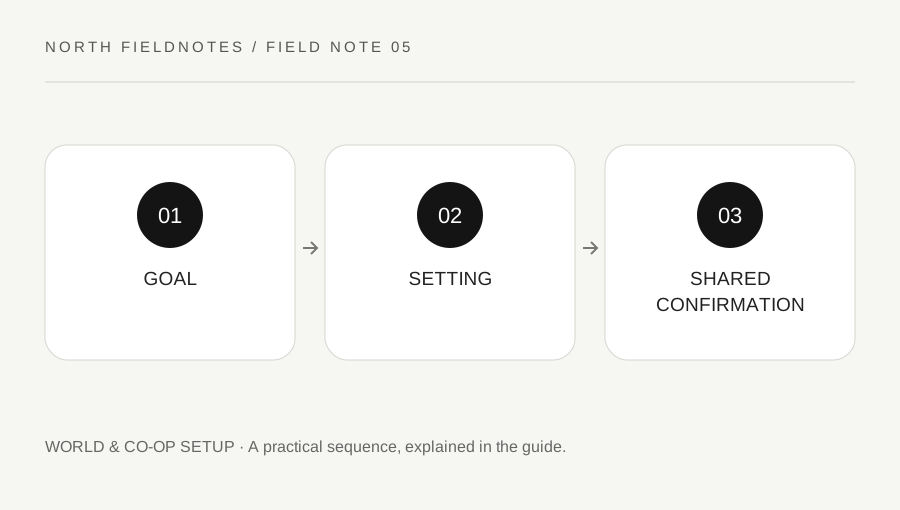
Original explanatory diagram. Examples illustrate a method or decision; they are not claims of personal testing.
Describe the group’s actual difficulty
Ask what is making the session less useful: an unwanted recovery burden, a resource bottleneck, a travel restriction or another specific issue. A broad request to make the world easier can mean different things to different players.
Read the settings offered by the current version and configuration. Built-in options, server startup settings and unofficial mods are different mechanisms. Do not assume that a label from an older video still behaves identically or that a third-party server panel explains every consequence.
Keep the original configuration in a private world note. Include who owns the world and who can change it. A shared agreement does not require a complex document, but it should prevent one player from discovering mid-expedition that the group's travel or progression assumptions changed while they were offline.
Read consequences beyond the headline
A preset can alter several conditions together, while an individual option may have a narrower purpose. Inspect the actual summary rather than choosing a name because it sounds appealing. Keep the goal and the side effects separate.
Iron Gate's 1.0 FAQ explains that some modifiers can affect achievement eligibility, including its example of hammer mode. Read the current official explanation before assuming every built-in option is neutral for every goal. This guide does not provide commands to bypass eligibility or manipulate a save.
For a worked example, a group wants less repetitive gathering but also wants a particular progression experience. They review the available options, identify the one most closely related to the problem and check its listed consequences. They do not activate a broad preset without reading what else changes.
Change one understood condition
Use the supported interface or current dedicated-server instructions for the actual host setup. Back up the relevant saves before a significant change and confirm who is responsible for the process. Do not run a copied command against an unidentified world.
Test a low-stakes action that should reflect the chosen setting. The result should be checked in the actual shared world, not only in a separate local copy with similar names. Keep other experimental changes out of the test so the outcome remains interpretable.
If the setting does not behave as expected, stop and inspect the version, active world and configuration. Repeatedly switching several options can make the state difficult to reconstruct. Use official support for a reproducible problem and identify any mods rather than presenting the setup as default.
Keep the agreement current
After the test, record the retained setting and the reason. Tell returning players what changed before they rely on an old route or recovery plan. A quiet successful test does not eliminate the need to communicate a shared rule.
Review the configuration when a major update changes the available options or the group's goals. Preserve the distinction between an official mechanic and a house rule. If the group intentionally chooses a different challenge, describe it honestly rather than comparing its results as though every world used identical conditions.
Finish with a concise agreement: goal, current setting, known consequence and owner. World customization can support a better shared session when it is deliberate and transparent. The value lies in matching the rules to an understood goal, not in changing every difficult condition immediately or making a promise that one preset suits all players.
A practical checklist
Choices are saved in this browser. Reset them here or clear this site’s browser storage.
Questions that come up
Are built-in settings and unofficial mods the same thing?
No. They are different mechanisms with different support and compatibility implications. Identify which one you are using.
Can modifiers affect achievements?
Some can. Read Iron Gate’s current 1.0 guidance and the actual option consequences rather than assuming every setting is neutral.
Should I change a shared rule without telling others?
Avoid doing so. Returning players may rely on the previous travel, resource or recovery conditions.
References & scope
Background references checked on 18 October 2026. Worked examples and diagrams are original teaching material.